Stop fighting printer alignment drift and paying annual software rent just to print shipping labels.
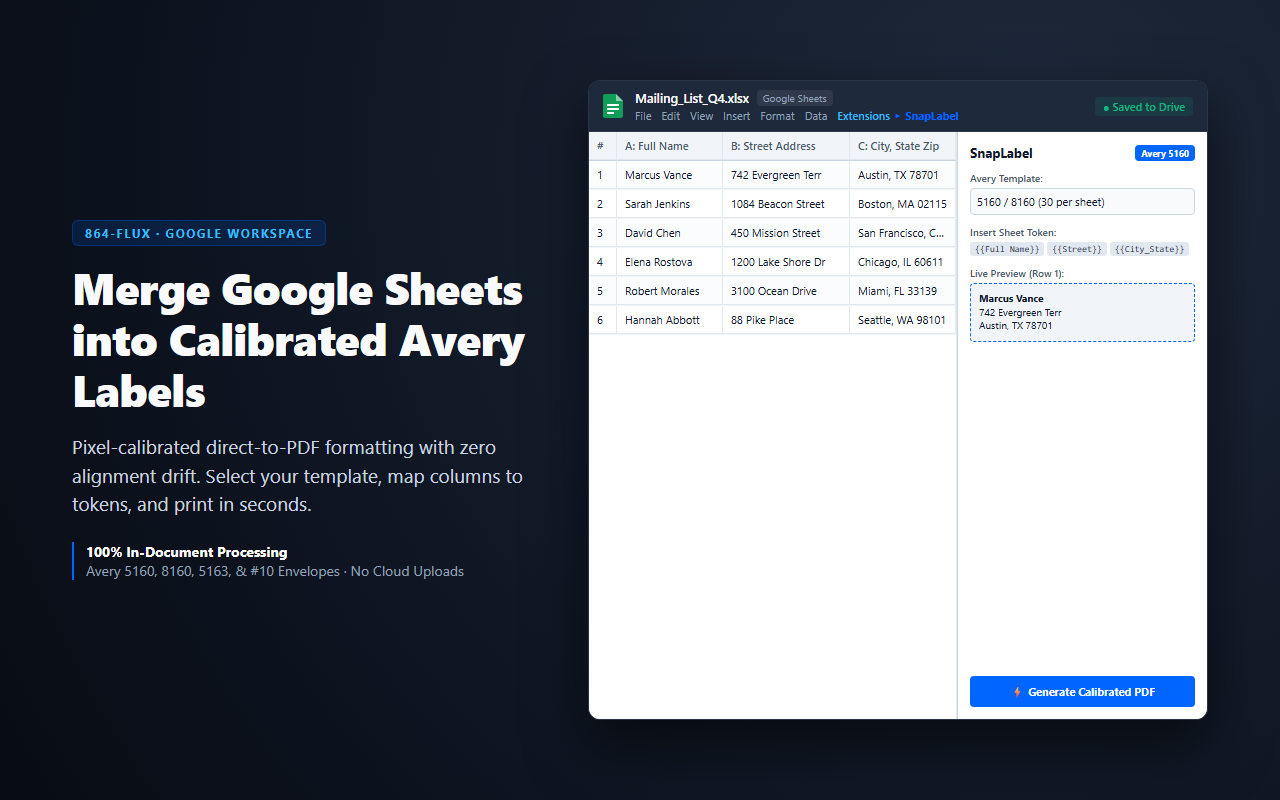
SnapLabel merges Google Sheets into Avery-compatible labels, return address stickers, envelopes, and barcodes directly within Google Docs and Sheets. Built with a millimeter-calibrated PDF layout engine, SnapLabel guarantees exact printer registration every single time — whether you are running a single test label or a 5,000-row batch.
Everything runs inside your Google account. Zero external server hops, zero data brokers, no ads, and no monthly subscriptions.
WHAT IT DOES
- Avery Label Merge: Select standard Avery templates (5160, 8160, 5163, 5267, and dozens more) or define custom label dimensions. Map spreadsheet columns to print tokens like
{{Full Name}}, {{Address}}, and {{City_State_Zip}} with one click.
- Direct-to-PDF Generation: Export calibrated vector PDFs directly from the sidebar. Print with 100% scale in any standard printer with zero edge drift or row creep.
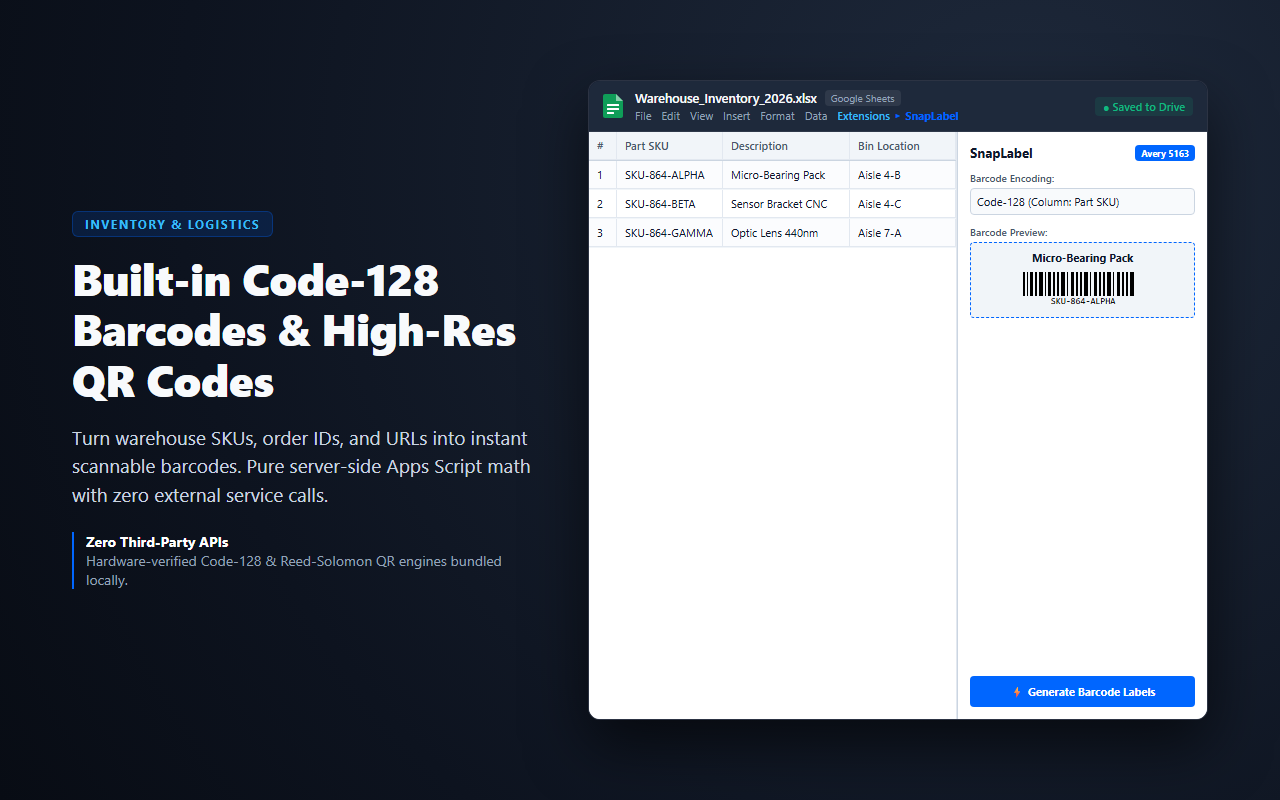
- Hardware-Verified Barcodes & QR: Generate high-density Code-128 linear barcodes and Reed-Solomon QR codes for warehouse inventory, product SKUs, and event badges using pure client-side math.
- Envelope Printing: Print directly onto standard #10 business envelopes, DL, and invitation envelopes with custom sender/recipient offsets.
- Live Print Preview: Inspect your first row rendered into the authentic label template before spending paper or ink.
WHY IT'S DIFFERENT
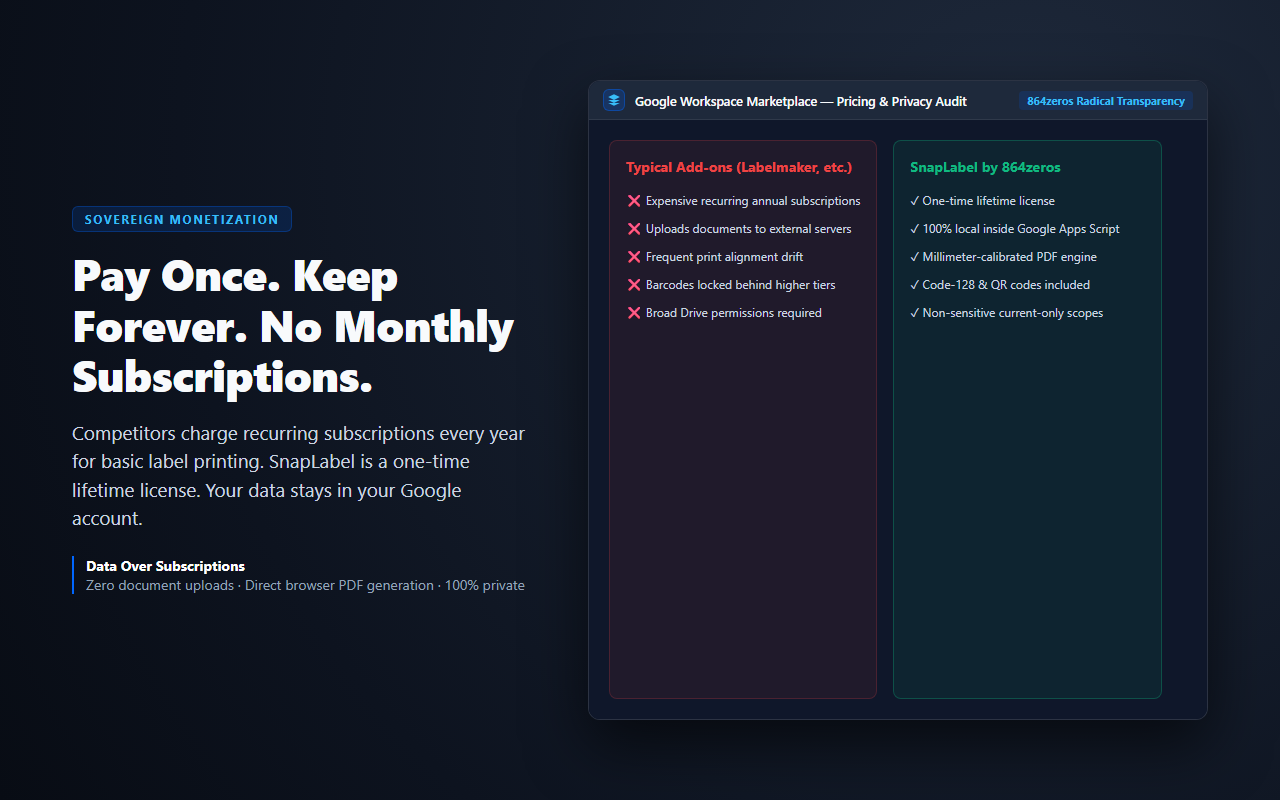
Most label add-ons in the Google Workspace Marketplace operate as subscription cash registers — charging recurring annual software subscriptions for basic mail merge. Even worse, many transmit your contacts, customer addresses, and order data to third-party servers to render PDFs.
SnapLabel is built on local-first principles: your spreadsheet rows never leave your Google session. The formatting, barcode computation, and PDF assembly occur entirely within Google Apps Script and your browser.
SOVEREIGN OWNERSHIP — ZERO SUBSCRIPTIONS
We do not believe in renting tools you use to run your business or home office. SnapLabel is available as a one-time lifetime license. Pay once, use it for life across your Google account. Never a recurring monthly or annual fee. Includes a free preview so you can verify print alignment on your hardware before purchasing.
RADICAL PRIVACY & MINIMAL SCOPES
SnapLabel uses Google's non-sensitive currentonly authorization scopes (spreadsheets.currentonly and documents.currentonly). This means SnapLabel only has access to the active spreadsheet or document you explicitly launch it in. It cannot see your Google Drive, read other files, or access private account information. Period.
Built by 864zeros — sovereign, local-first tools for sovereign builders.
 Google Add-on