Transform Spreadsheet Rows Into Synchronized Google Calendar Events
Managing events, staff schedules, client bookings, and project milestones in a spreadsheet is fast and intuitive. But manually copy-pasting those dates into Google Calendar is slow, error-prone, and prone to duplicate entries whenever dates change.
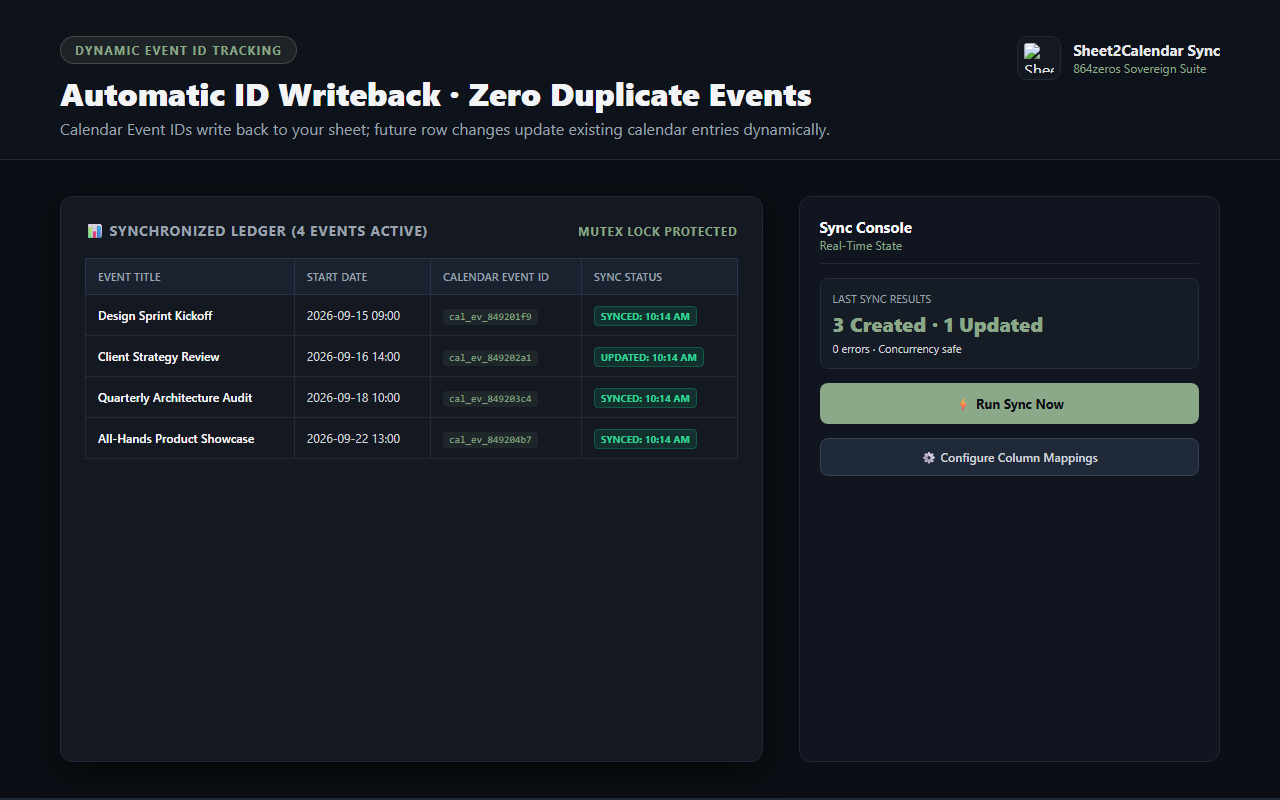
Sheet2Calendar Sync bridges Google Sheets and Google Calendar seamlessly. Running 100% locally within your Google account via Google Apps Script, Sheet2Calendar maps your columns directly to calendar fields, creates events automatically, and writes back unique Event IDs so future row edits update existing events instead of creating clutter.
Visual Column Mapping
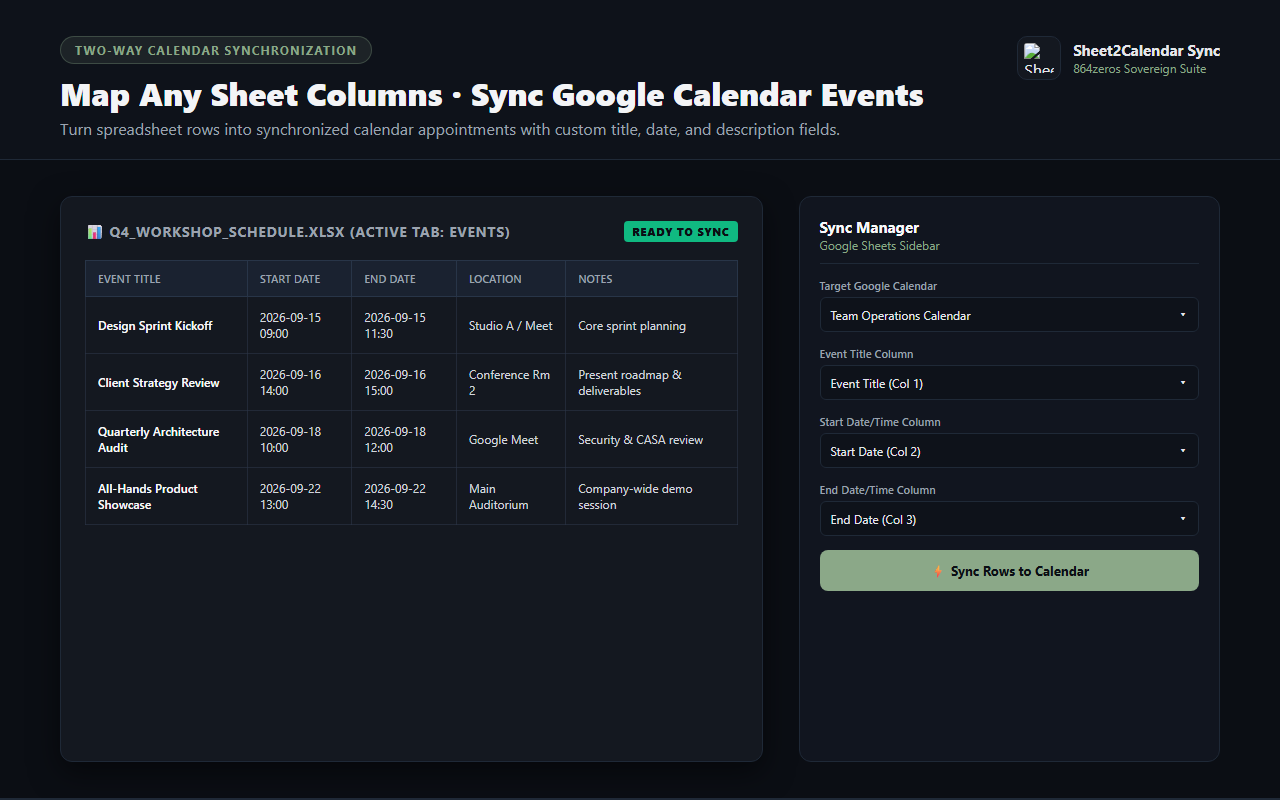
Map your spreadsheet columns to Event Title, Start Time, End Time, Description, and Location using an intuitive sidebar interface. Works with any existing sheet format.
Two-Way Identity Writeback
Sheet2Calendar writes the unique Google Calendar Event ID back into your spreadsheet. When you adjust dates or meeting details in your sheet, the existing event updates instantly.
Timed & All-Day Event Support
Intelligently handles all-day conferences, specific time blocks, and single-date entries with smart default duration fallback.
Background Automation Triggers
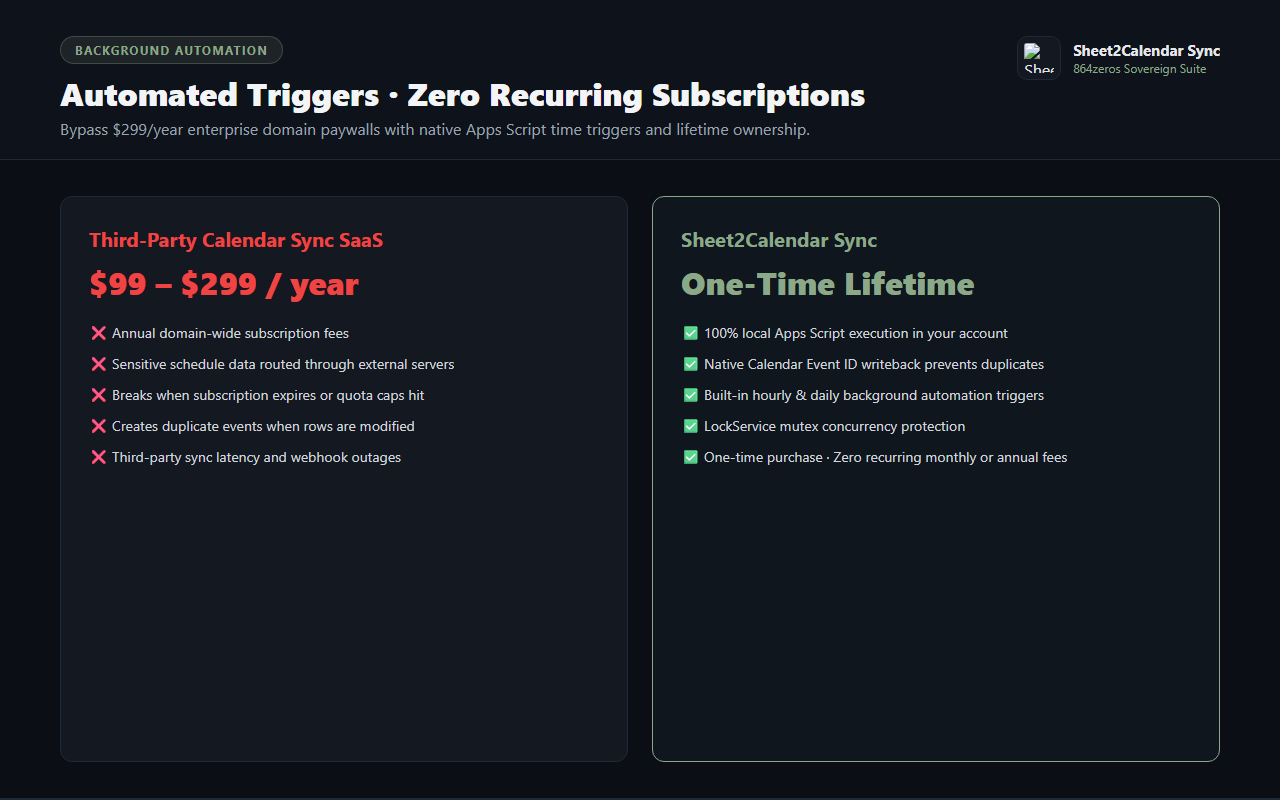
Enable native time-driven background triggers to keep your calendar up to date automatically on an hourly or daily schedule without keeping the spreadsheet open.
Concurrency & Duplicate Guard
Protected by native LockService mutexes to guarantee that simultaneous edits or rapid sync requests never create double bookings or race condition glitches.
Sovereign Privacy & One-Time Ownership
Your calendar events and client rosters never pass through external synchronization proxies. Pay once for a lifetime license with zero recurring subscription fees.
How It Works
- Select Target Calendar: Open the Sheet2Calendar sidebar and choose which Google Calendar you want to sync with.
- Map Your Columns: Select the columns representing event titles, start times, descriptions, and locations.
- Sync in One Click: Click "Sync Rows to Calendar" to create events and write back event tracking IDs.
- Enable Background Sync: Optionally turn on hourly or daily automation so row updates sync in the background automatically.
 Google Add-on